
A laptop is open on a small desk, a video call is underway, and every keystroke seems louder when the room goes quiet. In shared apartments, dorm rooms, and hybrid meeting spaces, the right quiet wireless keyboard can make typing less intrusive while freeing the desk from another cable. But “quiet” isn’t one sound: low-profile membrane keys and damped mechanical switches have different feels and acoustic trade-offs, and the desk itself can amplify impact noise.
Wireless convenience matters after the first week, too. Battery life, device switching, and a reliable receiver or Bluetooth connection shape whether a keyboard stays useful when you move between a computer, tablet, or phone. These seven picks are compared for typing sound, endurance, connectivity, footprint, and how well their layouts suit compact workstations. The context matters: Statistics Canada found noisy work environments were common, but its findings don’t measure keyboard sound or show that ordinary typing harms hearing (Canadian workplace-noise findings).
Table of Contents
- 1. Logitech Pebble Keys 2 K380s
- 2. Logitech MX Keys Mini
- 3. Logitech MX Mechanical Mini
- 4. Logitech MK470 Slim Combo
- 5. Logitech MK295 Silent Wireless Combo
- 6. Logitech K585 Slim Multi-Device
- 7. Logitech Signature K650
- Top 7 Quiet Wireless Keyboards & Combos Compared
- Make the Desk Quieter, Not Just Smaller
1. Logitech Pebble Keys 2 K380s
The Pebble Keys 2 K380s is an easy fit when desk space is tight and your keyboard needs to move between devices. Its small, rounded profile leaves more room for a mouse, notebook, or lunch-hour laptop, and its low-profile keys feel closer to a laptop keyboard than a traditional mechanical board. Logitech describes the keys as quiet, making this a sensible option for typing near a roommate or during calls, though “quiet” doesn’t mean inaudible.
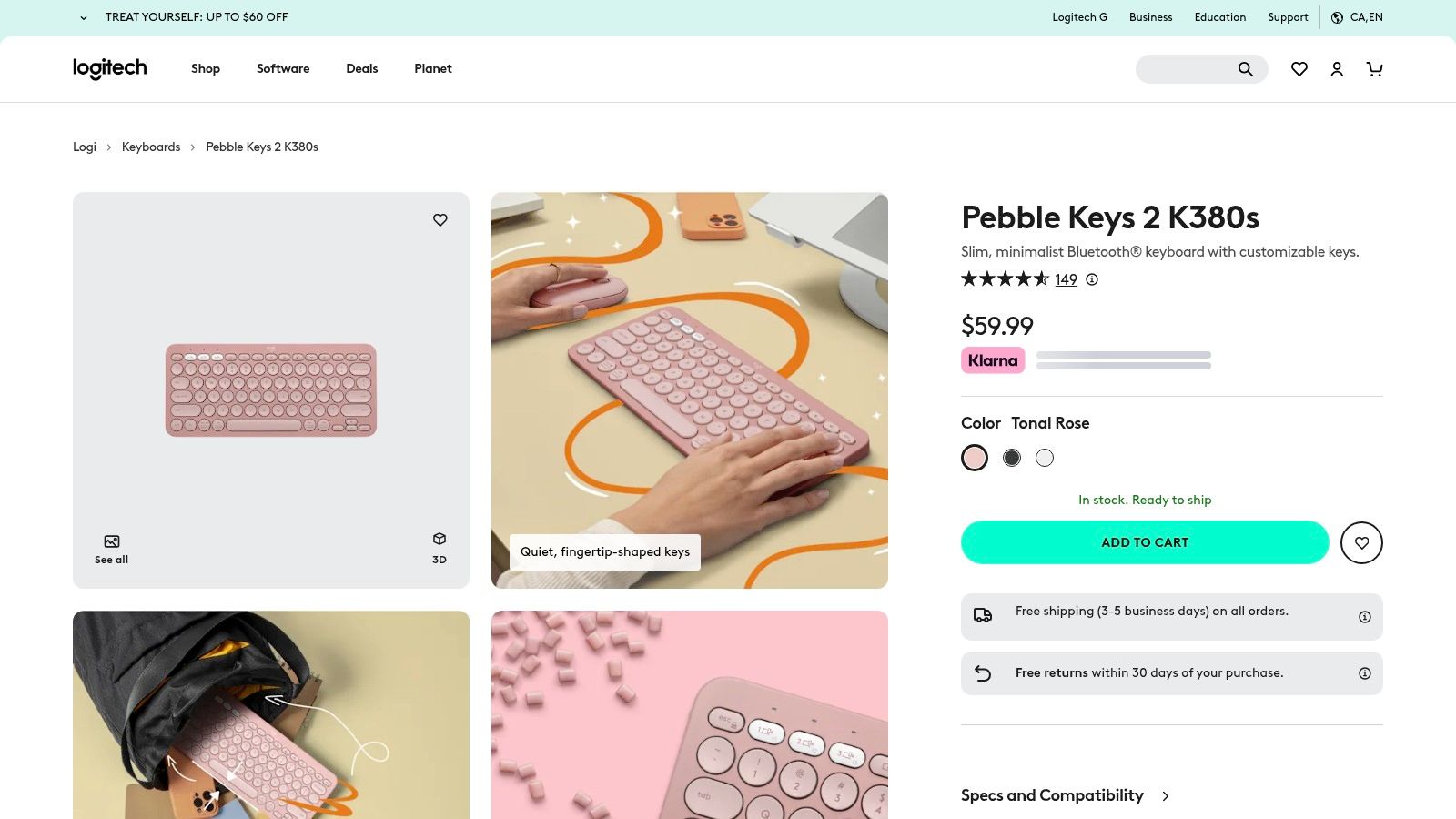
Best for shared desks and device switching
The standout feature is switching between up to three paired devices. If you write on a computer, answer messages on a phone, and use a tablet for reading, changing devices from the keyboard is more convenient than repeatedly pairing and unpairing. It supports Windows, macOS, iPadOS, iOS, and Android, and Logitech says it’s made with more than 50% recycled plastic.
The round keycaps and compact layout take adjustment, particularly if you’re used to a conventional keyboard. There’s no number pad or backlighting, so this isn’t the best match for frequent data entry or evening work in a dim room. Its small size also doesn’t include a separate navigation-key block.
Desk fit: Choose the K380s when reclaimed surface area and device switching matter more than a familiar full-size layout.
Logitech Canada listed it at about C$50 when checked; confirm current price and availability on the Logitech Pebble Keys 2 K380s product page.
2. Logitech MX Keys Mini
Some compact keyboards save space by feeling like travel gear. The Logitech MX Keys Mini feels more substantial, with stable, dished keys designed to guide your fingertips and reduce typing noise. It’s a good match for writers and remote workers who want low-profile typing without giving up a more refined feel.
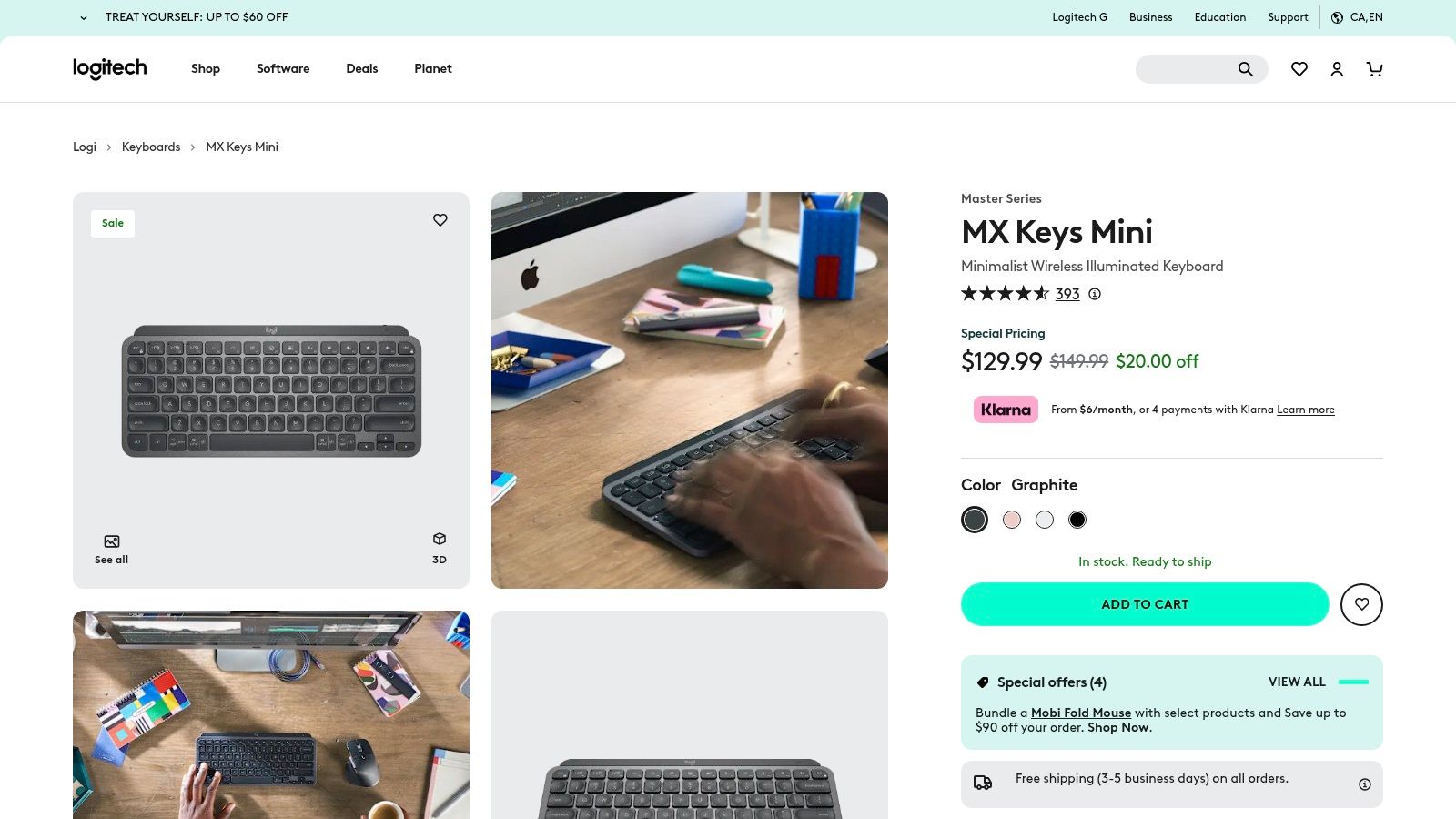
A premium low-profile option
Smart backlighting adjusts to room lighting and hand proximity, which is useful when the workday stretches into the evening. Dedicated microphone mute or unmute and dictation shortcuts can also help during calls. Removing the number pad keeps the keyboard narrower, so the mouse can sit closer to your hand.
The trade-off is cost: Logitech Canada showed a sale price of C$119.99 when checked, considerably more than a basic quiet keyboard. The layout also omits a numpad and separate navigation-key block, and its noise-reducing design won’t make it silent. For a shared room, consider how forcefully you bottom out keys as well as the keyboard itself. A quieter board can still sound sharp if each press lands hard on a firm desk.
If you spend long stretches typing and value backlighting, shortcuts, and a compact layout, the added features may earn their space. If you mainly need a quiet keyboard for messages and routine tasks, a less expensive model is likely enough. Check the Logitech MX Keys Mini product page for current pricing and configuration.
3. Logitech MX Mechanical Mini
Want mechanical feedback without filling a small desk with a large board? The MX Mechanical Mini keeps a compact layout while offering more key travel than flat laptop-style keyboards. Its three switch options have different implications for a shared room: Tactile Quiet is the considerate choice, while Clicky is a poor fit if other people can hear your typing.
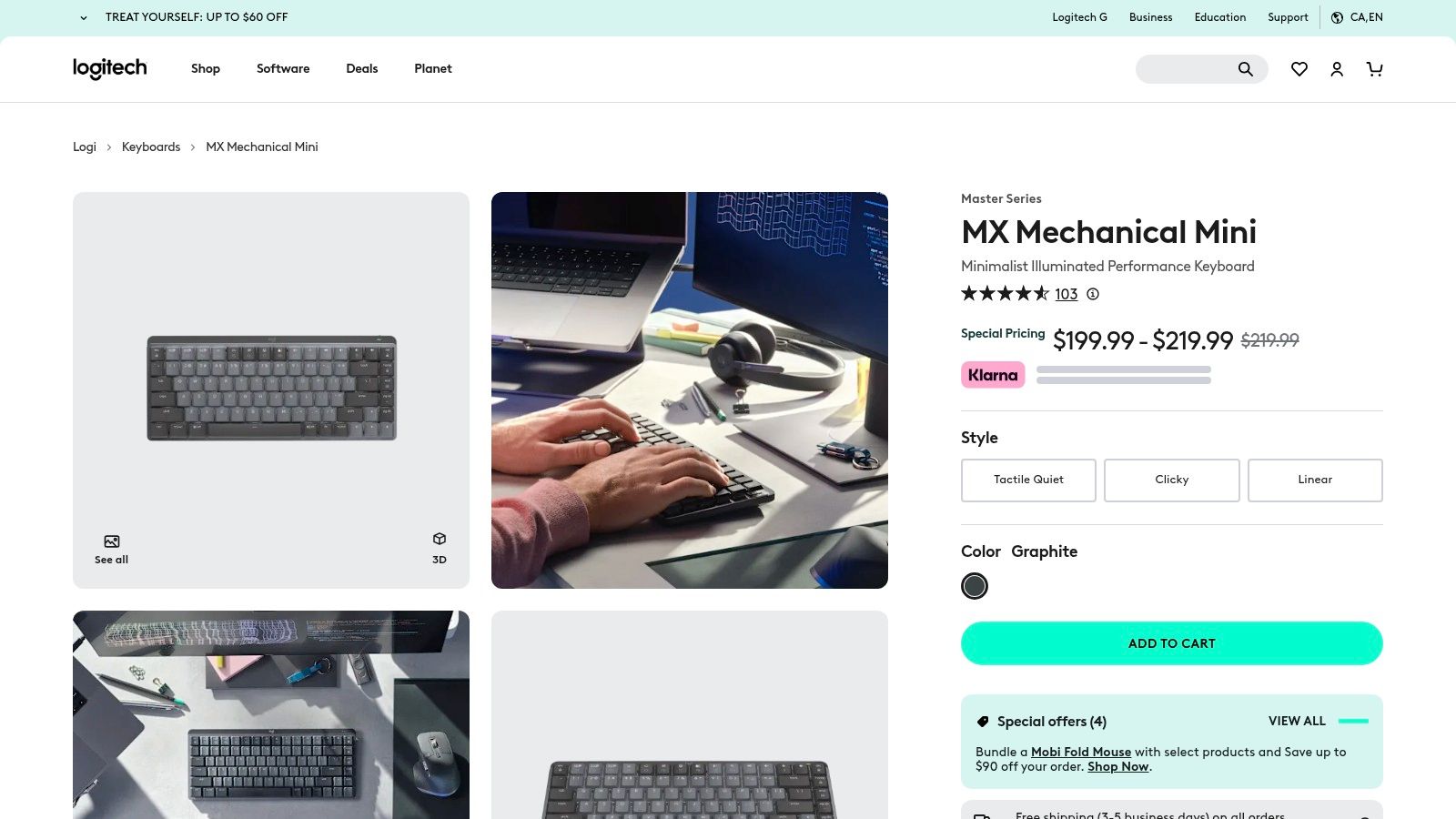
Confirm the switch before buying
The board includes smart backlighting and multi-device features, but the switch variant is the buying decision to check carefully. “Mechanical” alone doesn’t tell you how loud a keyboard will be. Switch type, stabilizers on larger keys, case construction, desk vibration, and typing technique all shape what people nearby hear. Tactile Quiet is a better starting point for a shared space, though it may still be more audible than a quiet membrane or scissor-style keyboard.
A compact layout saves space, but there’s no numpad. That trade-off works well for writing and general computer work; frequent number entry may justify a wider board. Logitech Canada displayed a sale price of C$199.99 when checked, so this is a premium pick for people who specifically want mechanical feedback, not a budget shortcut to silence.
Before checkout: Verify the exact switch option on the Logitech MX Mechanical Mini product page. A different switch variant can change the sound enough to undermine the point of choosing this model.
4. Logitech MK470 Slim Combo
A compact keyboard isn’t automatically the right keyboard for a cramped workstation. If your work involves spreadsheets or regular numeric entry, the Logitech MK470 Slim Combo keeps a number pad while trimming the bulk of a conventional full-size board. Its low-profile design and included quiet mouse make it a practical two-device bundle for a small office.
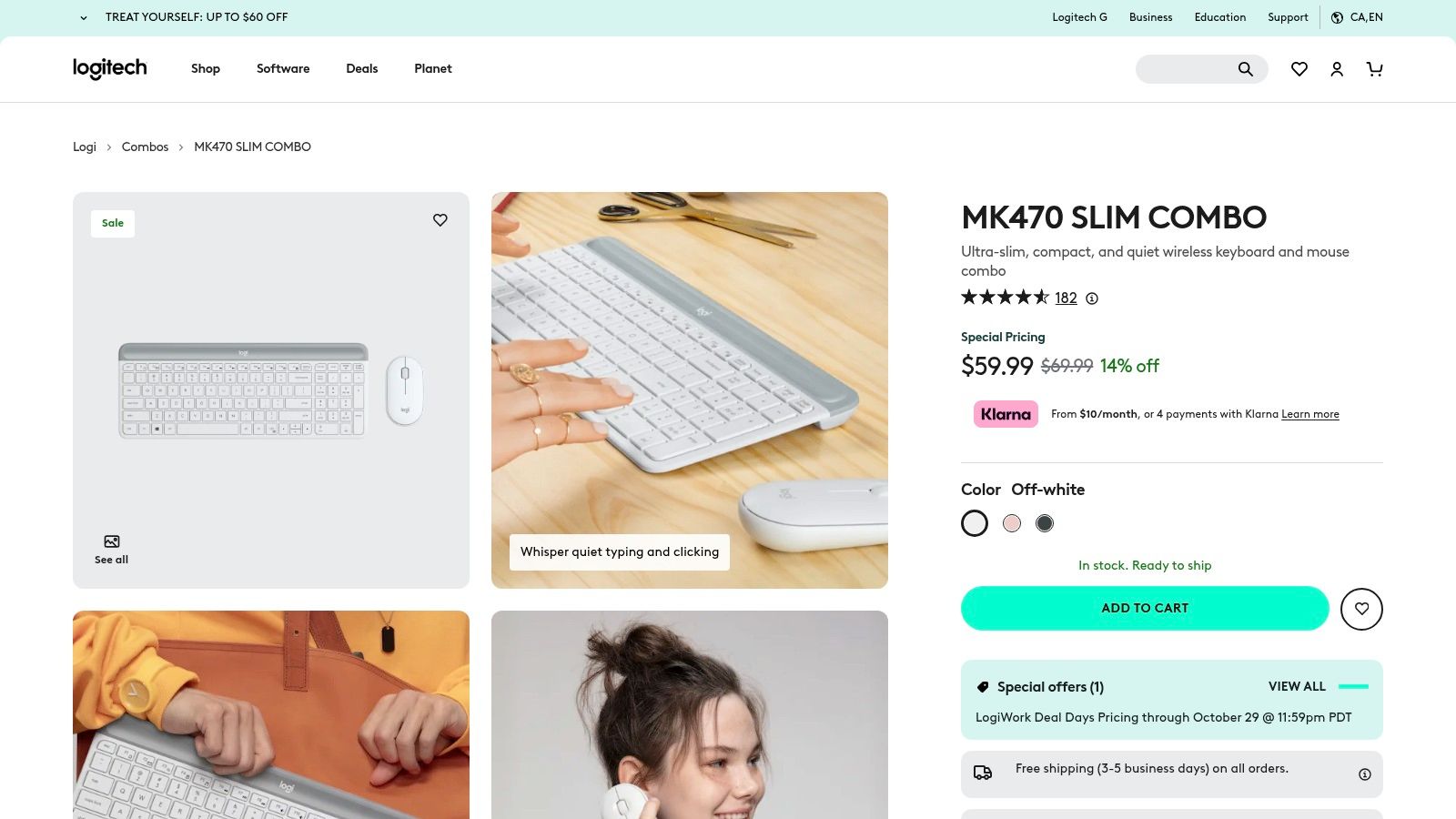
A numpad without a standard full-size body
The MK470 connects wirelessly, and the keyboard includes 12 Fn shortcuts. The number pad is the key compromise: it takes up more width than the K380s or the MX Keys Mini, but it avoids the extra size of a conventional full-size board. The bundle’s mouse is also designed for quiet use, useful if clicking is part of the noise you’re trying to reduce.
Flat keys won’t suit everyone. People who prefer deeper travel may find the typing feel less satisfying, and there’s little reason to buy a keyboard-and-mouse bundle if you already have a mouse you like. In that case, the included mouse adds no value and still needs somewhere to go.
Logitech Canada showed the off-white version at C$59.99 when checked. For a compact desk where the numpad earns its space, this is a more practical choice than dropping numeric entry altogether. See the Logitech MK470 Slim Combo product page for current availability.
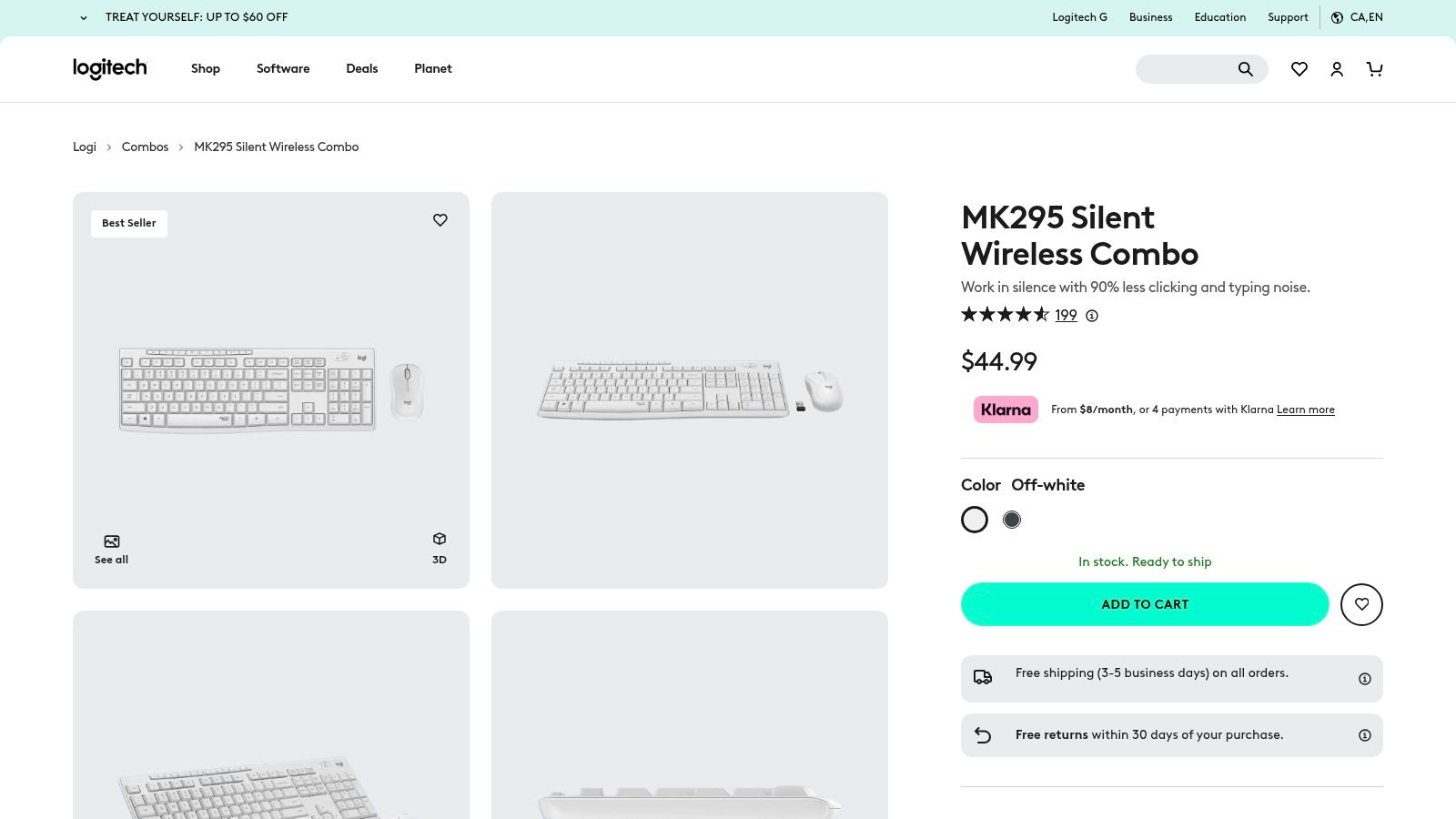
5. Logitech MK295 Silent Wireless Combo
If the priority is a familiar full-size keyboard and reduced noise without a premium price, the Logitech MK295 Silent Wireless Combo is the straightforward pick. It uses a membrane-style typing feel, includes a number pad and shortcut keys, and pairs the keyboard with a mouse designed to be quieter. Logitech’s SilentTouch system is designed to reduce keyboard and mouse noise by over 90%, as described on its product page.
Best for a conventional full-size layout
The main benefit is that noise reduction covers both frequent sources of desk sound, not just typing. If you work near someone else, quieter mouse clicks can matter as much as softened keystrokes. The full-size layout is also familiar for office work and data entry, with less adjustment than a small, unconventional keyboard.
The compromise is footprint. This combo needs more desk width than the compact options, so measure the available space before buying, especially if your mouse area is already narrow. It isn’t rechargeable, and the membrane feel won’t satisfy someone looking for mechanical feedback. Logitech Canada listed the off-white combo at C$44.99 when checked, which makes it a budget-friendly all-in-one option rather than a compact enthusiast keyboard.
The percentage on the product page describes the design’s noise-reduction claim, not a guarantee that the keyboard will be inaudible in every room. A hollow desk or forceful typing can still make keystrokes noticeable. Check the Logitech MK295 Silent Wireless Combo product page for the current model and price.
6. Logitech K585 Slim Multi-Device
The Logitech K585 Slim Multi-Device has a useful feature that most compact keyboards don’t: an integrated phone holder. It makes sense for people who respond to messages on a phone throughout the workday or keep a mobile screen visible beside a computer. Rather than letting the phone slide around the desk, the holder gives it a designated place.

Useful when the phone belongs in the workflow
The keyboard can switch between two devices and has customizable Fn keys. Its slim profile offers a lower-profile alternative to a clicky mechanical board, and Logitech describes it as quiet. That makes it a reasonable option for ordinary shared-room typing, but the product description doesn’t promise complete silence.
The phone holder is a space trade-off, not free desk real estate. It adds height to the keyboard and may not accommodate every phone case, so check the fit if you use a bulky cover. Two-device switching is convenient if you work across a computer and phone, but it’s less flexible than a board that can switch among more devices.
Logitech Canada listed the K585 at C$69.99 when checked. It suits people who use a phone alongside their computer; otherwise, the holder is extra structure you may not need. Review the Logitech K585 Slim Multi-Device product page for current pricing and details.
7. Logitech Signature K650
The Logitech Signature K650 puts comfort ahead of a minimal footprint. It’s a full-size wireless keyboard with deep-cushioned keys, an integrated soft-touch palm rest, and a spill-resistant design. For long typing sessions, those features may matter more than shaving every possible centimetre from the desk.
Prioritise comfort over portability
You can connect through Bluetooth or the included Logi Bolt receiver, giving you two wireless options. Logitech claims up to 36 months of battery life, which can reduce how often you think about changing batteries. Treat that as a manufacturer claim, not a guarantee of how long your particular setup will run between changes.
The cost of the palm rest is space and portability. The K650 takes up more room than slim models, and its integrated rest makes it less convenient to store away when you need the surface for something else. It’s a poor match for very small desks, but a stronger candidate if you have room and prefer cushioned keys for extended work.
Logitech Canada listed the off-white model at C$79.99 when checked. The product’s Bluetooth and receiver options are useful, but wireless labels alone don’t establish how reliably a keyboard will reconnect in a crowded room. Check its behaviour with your own computer and setup during the return period. See the Logitech Signature K650 product page for current configuration and availability.
Top 7 Quiet Wireless Keyboards & Combos Compared
| Keyboard | Approx. price (CAD) | Layout & typing | Key features | ⭐ Ideal use / advantage | 💡 Main trade-off |
|---|---|---|---|---|---|
| Logitech Pebble Keys 2 K380s | C$50 | Compact; quiet, low-profile keys | 🔄 Switches between 3 devices; works across major platforms | ⚡ Travel, small desks, and multi-device use | No numpad or backlighting; round keys may take adjustment |
| Logitech MX Keys Mini | C$119.99 | Compact; stable, quiet laptop-style keys | Smart backlighting; video-call shortcuts | ⭐ Writers and remote workers seeking refined typing and lighting | No numpad; reduces noise but is not silent |
| Logitech MX Mechanical Mini | C$199.99 | Compact; low-profile mechanical switches | 🔄 Multiple switch options; backlighting; multi-device support | ⭐ Users who want mechanical feedback in a compact format | More audible than non-mechanical options; confirm switch type |
| Logitech MK470 Slim Combo | C$59.99 | Slim keyboard with numpad; quiet typing and mouse clicks | Keyboard and mouse included; 12 Fn shortcuts | 📊 Tight desks where a numpad and mouse bundle are useful | Wider than compact keyboards; included mouse may be unnecessary |
| Logitech MK295 Silent Wireless Combo | C$44.99 | Full-size; membrane-style typing | SilentTouch designed to reduce keyboard and mouse noise by over 90% | ⭐ Budget-conscious office work and data entry | Large footprint; not rechargeable |
| Logitech K585 Slim Multi-Device | C$69.99 | Slim layout; described as quiet | 🔄 Switches between 2 devices; integrated phone holder | 💡 Typing across a computer and phone | Phone holder may not fit every case; limited to 2 devices |
| Logitech Signature K650 | C$79.99 | Full-size; cushioned keys and palm rest | Bluetooth or Logi Bolt; spill-resistant; claimed battery life up to 36 months | ⭐ Long typing sessions, especially when a numpad is needed | Bulky and less suitable for small desks |
Make the Desk Quieter, Not Just Smaller
Choose for the room, your hands, and the work you do. A slim membrane-style keyboard keeps things simple, while a quiet tactile mechanical board gives more feedback at the cost of potentially more audible keystrokes. A compact layout can bring the mouse closer and preserve surface area, but dropping the numpad may be frustrating if numeric entry is part of your routine.
The keyboard isn’t the whole acoustic setup. Toronto Metropolitan University researchers measured office sound levels above recommended private-office standards in the offices they assessed, a reminder that room noise comes from cumulative conditions, not a single device (Toronto office-noise study). A keyboard can reduce one repetitive source, but it won’t fix a noisy room or replace broader acoustic control.
Start with a neoprene desk mat if keystrokes seem to travel through the desktop. It can help limit structure-borne vibration without changing your keyboard’s layout. If your board supports safe modification, switch or stabilizer lubrication may reduce unwanted sound, while O-rings can soften keycap impact and rattle. Make changes gradually and test the result; modifications can change typing feel as well as sound.
For a compact workstation, keep the keyboard directly behind the mouse and route a receiver into an under-desk tray if that suits your setup. Position the board to preserve a neutral wrist angle, rather than pushing it so far forward that the palm rest or desk edge becomes uncomfortable. Before settling on a model, check its layout, device switching, and connection recovery with your own computer and other wireless devices.
Prices and availability can change, so check the linked Canadian product pages before buying. Revisit this roundup when Logitech changes its switch options, bundles, or Canadian pricing.
Deskbound publishes practical reviews and setup guidance for compact home offices, including ways to reduce keyboard noise without sacrificing useful desk space. Explore its keyboard recommendations, small-desk setup guides, and hands-on advice at Deskbound to find upgrades that suit your room and routine.