You’re on a late call in a one-bedroom, and the board on your desk is louder than your voice. Your partner is trying to sleep on the other side of a thin wall. A sharp click doesn’t stay on the desktop. It rides the desk, the mic, and the hallway.
Most of that noise is three things hitting at once. The switch slams its housing, the case rings, and a hard desktop throws the impact back. A quiet mechanical keyboard only helps when a damped switch, some case dampening, and a desk that doesn’t amplify the thud all show up together.
I score these seven boards on noise, typing feel, footprint, connectivity, and price honesty. A silent switch in the box beats a silent switch you might add later. A full-size layout still fails a small desk. Before you spend, try a desk mat and O-rings. Our noise guide then moves through stabilizer work, switch lubing, and case foam, in that order.
McGill University’s ergonomics material lists 45 dB(A) as the recommended noise level for a private office, citing CSA Z412-00. Treat that as a room target, not a keyboard score. Fans, HVAC, and where you hold the meter all move the number.
Table of Contents
- 1. Kensington MK7500F QuietType Pro
- 2. be quiet! Light Mount TKL
- 3. be quiet! Light Mount
- 4. Logitech MX Mechanical Mini
- 5. NuPhy Air75 V3
- 6. MonsGeek M1 V5 VIA
- 7. Keychron Q1 Max
- Quiet mechanical keyboards compared by layout, connectivity, silent switch availability, and listed price
- Choose Your Quiet Setup and Start With Mods
1. Kensington MK7500F QuietType Pro
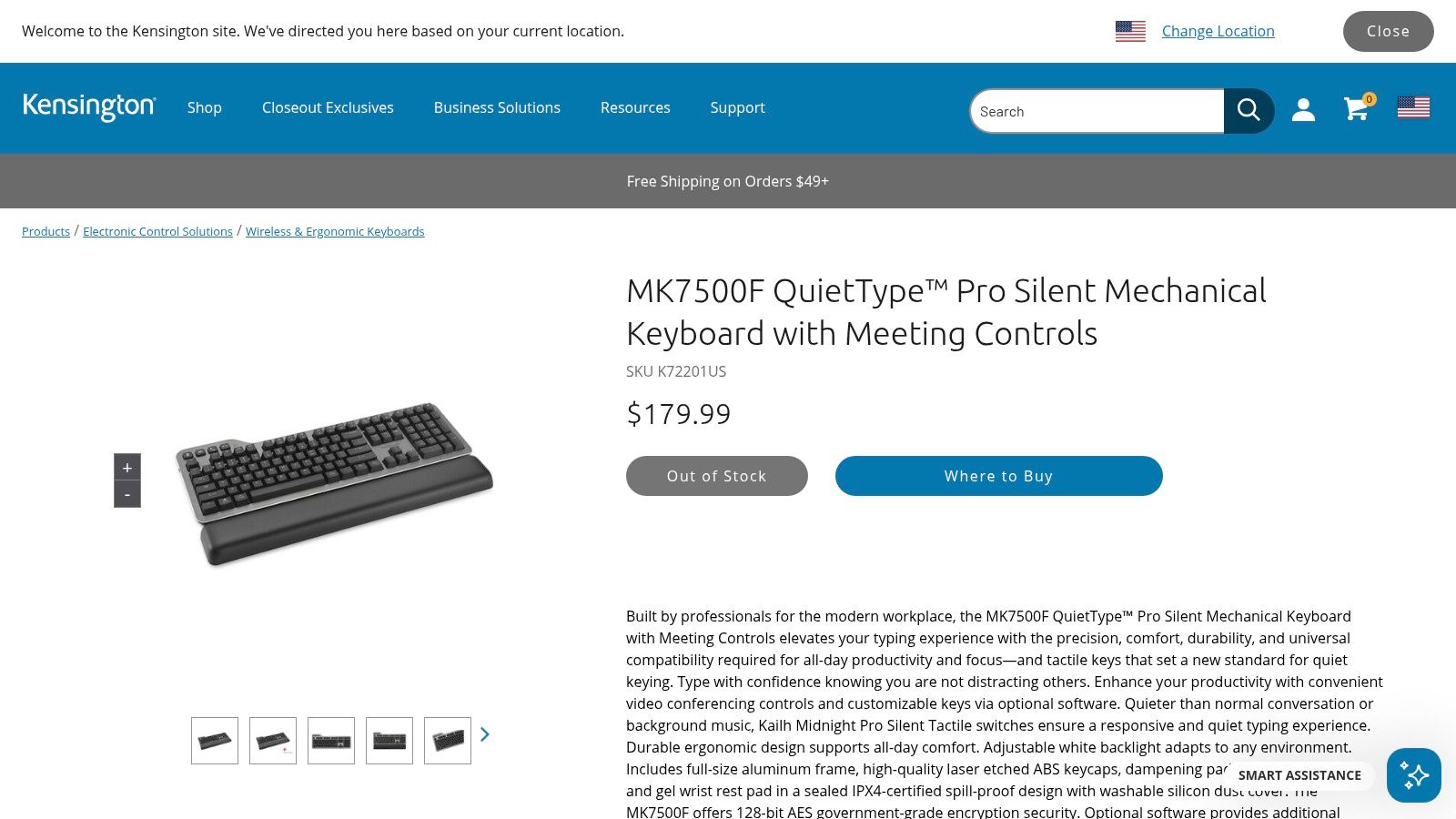
The Kensington MK7500F QuietType Pro is built around calls, with the width of a full-size board as the compromise. Tactile Kailh Midnight Pro Silent switches sit over dampening pads, so the landing is softer than a bare office mechanical. You also get Bluetooth, 2.4 GHz, and a cable, plus meeting controls, an IPX4 spill-resistant shell, a gel wrist rest, and a washable dust cover.
Kensington markets those switches as quieter than traditional mechanical office keyboards. That is a manufacturer comparison, not a lab measurement, so treat it as a relative claim about typing noise rather than a promise of silence in a shared room.
The call controls are the reason to put up with the width. Mute and meeting keys sit on the board, so you’re not hunting a laptop trackpad mid-sentence. Three connection paths cover a laptop, a dock, and a wired fallback. The wrist rest helps long sessions, and the dust cover matters if the board lives in a shared room.
On a compact desk, the full-size layout takes real width from your mouse lane. The feature set is heavy if you only wanted a quiet typer, and customization software isn’t on every platform. If the keyboard you already own is the problem, start with how to reduce keyboard noise before you buy a wider board.
2. be quiet! Light Mount TKL
Drop the number pad and the mouse finally has a lane. The be quiet! Light Mount TKL is a wired tenkeyless board that ships with factory-lubricated silent linear V2 switches and three sound-dampening layers. Hot-swap MX-style sockets and PBT keycaps mean you can change the feel later without soldering.
Practical rule: buy the silent-switch version you can see in the listing. A model name alone doesn’t tell you the stem is damped.
That out-of-the-box stack is the point. You aren’t lubing springs on night one, and the shorter body leaves mouse room a full-size board steals. RTINGS’ typing-noise tests treat roughly 45 dBA as quiet and 40 dBA or below as very quiet, and one low-noise keyboard in a recent test measured 47.6 dBA. Those figures belong to that lab method. They are not a score for this Light Mount, and I couldn’t confirm Canadian pricing or stock from the pages checked.
Skip it if:
- You need wireless. This one is cable only.
- You want a bump. The silent switches are linear, so there’s no tactile notch.
- You hate RGB. Lighting and gaming software come along whether your spreadsheet needs them or not.
3. be quiet! Light Mount
The number pad earns its width only when you use it daily. The be quiet! Light Mount is the full-size version of the same quiet formula: factory-lubricated silent linear switches, three foam layers, hot-swap sockets, and PBT caps, plus a US ANSI number pad, media wheel, macro keys, and aluminum top plate.
Pick it when the numpad is real work and the desk is deep enough that the mouse still clears the right edge. The foam and damped stems handle noise before you open a screwdriver. Hot-swap gives you an exit if the linear feel turns mushy after a week of writing.
It fails the small-desk test faster than the TKL. The body is large, it runs wired only with no Bluetooth or 2.4 GHz, and the RGB plus gaming controls add clutter to a plain office setup. Listed at $167.99 CAD. Canadian prices move by retailer, so confirm the current figure before checkout.
If you bottom out hard, foam won’t erase a desk thud. Lighten your landing or put a thin mat under it. The switches damp the stem, not the desktop.
4. Logitech MX Mechanical Mini
For a shared desk that already holds a laptop and a notebook, width matters more than a numpad. The Logitech MX Mechanical Mini is a low-profile compact board. Order the Tactile Quiet option. The Clicky version is the wrong buy if someone else can hear you.
Bluetooth and Logi Bolt cover a laptop and a desktop without a cable across the mat. Backlighting is there, and it speaks Windows and Mac at a basic typing level. You pay more than a plain wired board, you lose the number pad, and you can’t treat it like an enthusiast hot-swap project. The switches you choose at checkout are the switches you keep.
A quiet switch option only counts if it’s the one in the cart. Clicky branding on the same family name will undo the whole point.
We look at footprint the same way in our roundup of compact wireless keyboards, where 75% and TKL boards are judged on typing feel, battery life, and Bluetooth reliability. I wouldn’t call the Mini silent in a library. I’d call the Tactile Quiet build the one that belongs on a call.
5. NuPhy Air75 V3
A 75% low-profile board gives you a function row and arrows on a body that sits above a laptop keyboard rather than beside it. The NuPhy Air75 V3 can ship with silent Blush Nano switches and internal dampening. That configuration is the quiet one. Put another switch in the same shell and you have a different keyboard.
Check before you pay:
- Switch name: Confirm Blush Nano, or whatever silent option the page lists for your region.
- Replacement path: Low-profile sockets narrow the list of switches you can drop in later, so treat the stock choice as the long-term one.
- Landed cost: Add up Canadian shipping, duties, and return terms at checkout before you compare the price with a board sold locally.
The slim body suits a laptop-and-keyboard stack, which is why it pairs with a small desk setup that already fights for every centimetre. Short travel cuts some impact energy. It does not silence a hollow case or a rattly stabilizer by itself. Stabilized keys often stay the loud ones after the letters calm down, so budget for a desk mat and a light lube job on the space bar before you blame the switch.
I like this layout for writers who still want arrows without a number pad. I do not like guessing the switch from a product-family photo. If the listing does not name the silent stem, wait.
6. MonsGeek M1 V5 VIA
This is the budget path where you choose the silence instead of hoping the stock switch is soft. The MonsGeek M1 V5 VIA is a 75% you can order assembled or as a build. Pick a compatible silent option such as Fairy Silent Linear if the configurator lists it. Hot-swap sockets, rapid disassembly, and VIA remapping are the reasons to bother.
Confirm the listing says VIA if remapping matters. Other versions sit beside it, and the wrong one is an annoying return. The brand’s own price is not a Canadian landed price. Shipping, duties, and warranty terms need a check before you compare it with a board already on a Canadian shelf.
What works: you match feel and noise, the layout stays compact, and key mapping is yours.
What doesn’t: a default linear or tactile that isn’t silent will still clack, and a first build is slower than an office keyboard you unbox and use. If you dislike tinkering, don’t start here. If you already know you want a damped stem and a small body, this is the honest cheap route.
7. Keychron Q1 Max
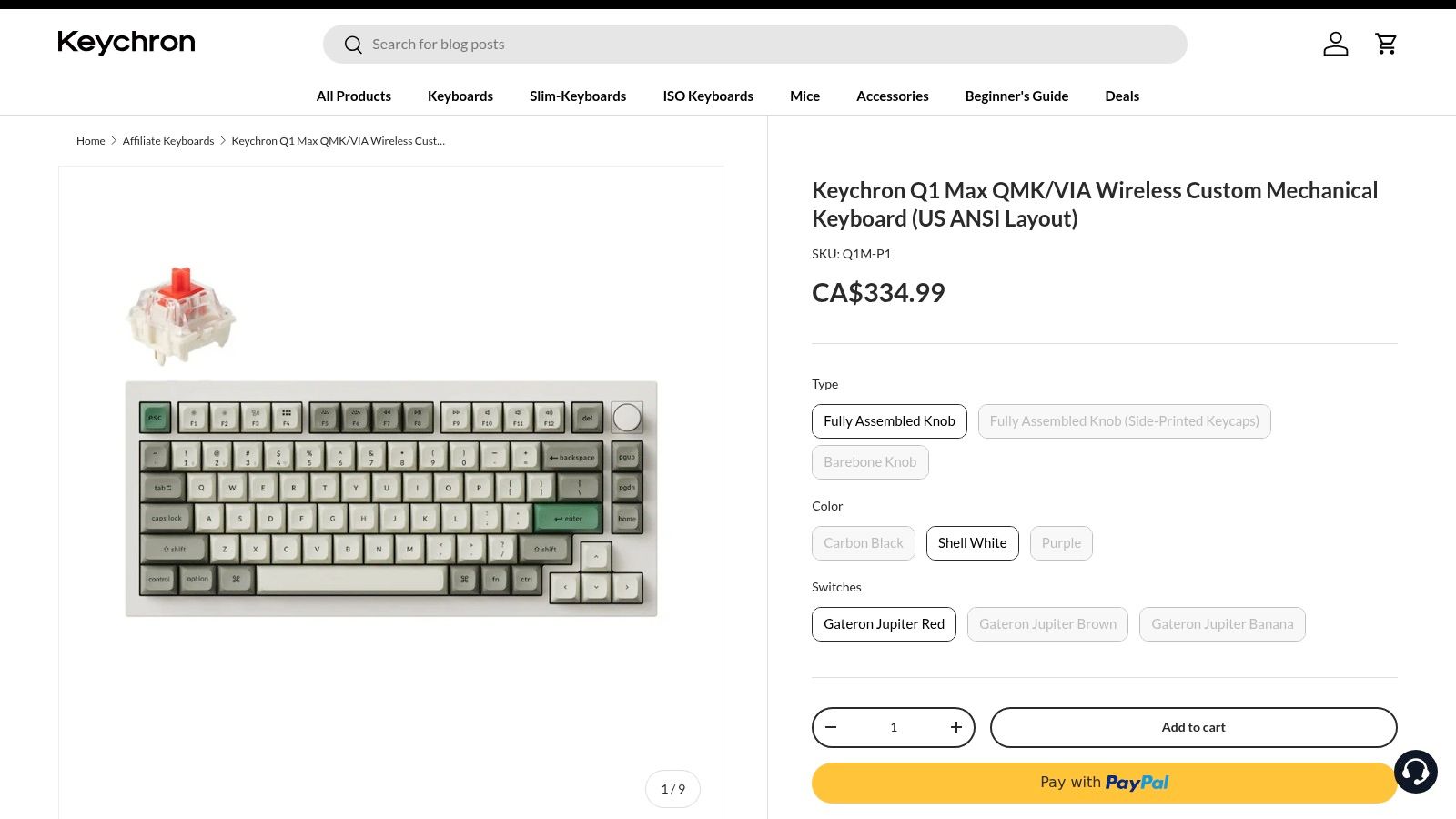
The Keychron Q1 Max is a heavy aluminum 75% with hot-swap sockets, QMK/VIA, and Bluetooth, 2.4 GHz, plus a cable. That stack is excellent once silent switches are in it. It is not automatically quiet on the switches it ships with. Read the switch name on the variant before you checkout. Some colour and switch options were unavailable when I last looked, and a sale price on the brand’s Canadian site is not a promise that your variant is in stock.
The case can tame hollow ring better than a thin plastic shell. It can also be more keyboard than a basic office desk needs, in weight, price, and setup time. You’re paying for a platform. Silence is a second purchase if the listing shows ordinary linear or tactile stems.
Use it when you want one compact wireless board for years and you’re willing to fit damped switches. Skip it when you need quiet on day one and you don’t want to open the case. A wrist rest is worth planning for, because the front sits tall for long writing sessions.
Quiet mechanical keyboards compared by layout, connectivity, silent switch availability, and listed price
| Item | Layout | Connectivity | Quiet Switch Option |
|---|---|---|---|
| Kensington MK7500F QuietType Pro | Full-size | Bluetooth, 2.4 GHz, wired | Kailh Midnight Pro Silent switches included |
| be quiet! Light Mount TKL | Tenkeyless | Wired | Silent linear V2 switches included |
| be quiet! Light Mount | Full-size | Wired | Silent linear switches included |
| Logitech MX Mechanical Mini | Compact, no number pad | Bluetooth, Logi Bolt wireless | Tactile Quiet option |
| NuPhy Air75 V3 | 75% | Wireless | Blush Nano silent switch option |
| MonsGeek M1 V5 VIA | 75% | Wired | Compatible silent switches available, including Fairy Silent Linear |
| Keychron Q1 Max | 75% | Bluetooth, 2.4 GHz, wired | Compatible silent switches can be installed |
Layout decides desk fit before switch specs do. A full-size board eats mouse room on a narrow desk; a 75% or TKL keeps the pointer closer and leaves space for a notebook. Connectivity matters in a shared room because a cable is one less thing to charge and one more thing to route. The silent switch column separates boards that arrive quiet from boards that need a stem swap.
Price moves by variant, retailer, and sale, so compare the current listing before you pay. Confirm the quiet switch is in the exact configuration you order. On hot-swap boards, budget for silent switches and setup time. If a price looks unusually low, check stock and the switch option at checkout.
Choose Your Quiet Setup and Start With Mods
Try the desk you already have before you replace the board. A thin mat cuts the thud that travels into a table. O-rings soften bottom-out on a keyboard you already like. If the spacebar still rattles after that, the switches were never the whole problem. Stabilizer tick and a hollow case survive a silent stem.
Then pick the board to match what’s left. A pre-lubed silent board, the Kensington, either be quiet! Light Mount, the MX Mechanical Mini in Tactile Quiet, or the Air75 V3 in Blush Nano, is the low-effort path. A hot-swap build, the MonsGeek or the Q1 Max, fits when you want to choose the stem and you accept the setup time. Full-size only wins if you use a number pad and the desk is deep enough.
Ask three questions before you pay. Is the quiet switch in this exact configuration? Does the layout leave mouse room? Is the connection wireless, wired, or both, matching how you work?
A controlled study published in Applied Sciences found that switch type significantly affected perceived noise, tactile feedback, pleasure, and comfort. Silent switches scored well for perceived quietness and still didn’t settle the feel trade-off. Federal workplace guidance sets an 87 dBA eight-hour average for federally regulated workplaces. A home keyboard normally sits far below that. Judge success by less intrusion on calls and on the person in the next room, not by hearing-protection math.
This site uses affiliate links. We may earn a commission if you buy through them, at no extra cost to you. That doesn’t change which switch I tell you to verify. If you want one email a week of home-office finds, subscribe. The next note is more useful than another spec-sheet roundup.
Deskbound publishes practical reviews for compact desks, including quieter keyboards, cable cleanup, and small-space layouts that earn their footprint. If keyboard noise is crowding your calls or your evenings, start with the mods and the boards above, then visit Deskbound for the weekly home-office picks and the setup guides that match a small room.