You’re trying to unplug a laptop before a train, a meeting, or dinner, and every cable under the desk moves together. The charger pulls the dock. The dock pulls the monitor lead. The power bar slides closer to your chair wheel. Nothing’s broken, but nothing’s separable either, and that’s the core issue on a small desk.
Good cable management Velcro straps don’t just make cables look tidy. They let you remove one device without rebuilding the whole setup, while keeping mains power, heat and moving parts out of trouble. Treat each strap as a reversible positioning tool, not a clamp and not a permanent fix.
Table of Contents
- Why Velcro Straps Suit Small Desks and Which Cables to Bundle
- How to Route and Strap a Small Desk Bundle
- Choosing Strap Length, Width and Rating
- Bundling Patterns for Tight Under-Desk Spaces
- Reusing, Fixing and Upgrading Straps
Why Velcro Straps Suit Small Desks and Which Cables to Bundle
On a 60 cm desk, a laptop charger, dock cable, monitor lead and power bar often drop past the same leg. You can’t find the plug you need, so you pull, and three other connectors take the strain. The short answer is this. Strap low-voltage cables that change often, such as USB and display leads. Keep straps off mains power, hot bricks and extension cords unless the manufacturer clearly permits that use.
Reusable hook-and-loop suits this churn because desks aren’t static. Devices get added, borrowed, recycled and replaced. A strap opens and refastens without cutting, and you can split a bundle by device or by zone. That matters more than a perfectly straight trunk. If you’re working through limited footprint fixes, pairing straps with other small desk space-saving upgrades works better than forcing every cable into one run.
Sort by Risk Before Tidiness
A strap positions cables. It doesn’t protect them from a sharp desk edge, replace strain relief, or act as conduit. Health Canada guidance on electrical products at home says power cords shouldn’t be covered unless the manufacturer permits it, and extension cords shouldn’t run under rugs, through doors or walls, or be permanently secured. University of Guelph guidance adds that power strips must not be coiled or looped while in use, must stay clear of pinch and trip hazards, and must not be daisy-chained.
| Cable type | Bundle with a strap? | Strap spacing | Notes |
|---|---|---|---|
| USB-C charging lead and USB peripheral cables | Yes | Every 20-40 cm under the desk | Low voltage; bundle by device, not as one trunk |
| Display cables (HDMI, DisplayPort) | Yes, loosely | Every 20-40 cm | Leave a gap at the port so the connector is not levered |
| Ethernet (network) cable | Yes, loosely | At the desk exit and every bend | Check the cable spec before compressing it |
| Audio cable (3.5 mm or USB audio) | Yes, loosely | Every 20-40 cm | Keep it away from power runs to avoid hum |
| Laptop power brick | No, leave a gap | None on the brick itself | Heat builds up; keep vents and surfaces clear |
| Mains power cord | Only if the manufacturer permits | At the desk edge only | Don’t cover it without manufacturer approval |
| Extension cord or power bar | No | None | Do not coil, loop, daisy-chain or run under a rug |
The neatest bundle is not automatically the safest. Bundling can hide fraying, block inspection, and trap a cord where a hinge or caster pinches it.
Bundle one device’s cables or one zone of the desk. Never bundle everything just because it fits. Leave labels visible and slack where parts move.
How to Route and Strap a Small Desk Bundle
Start with sorting and measuring, not with the strap itself.
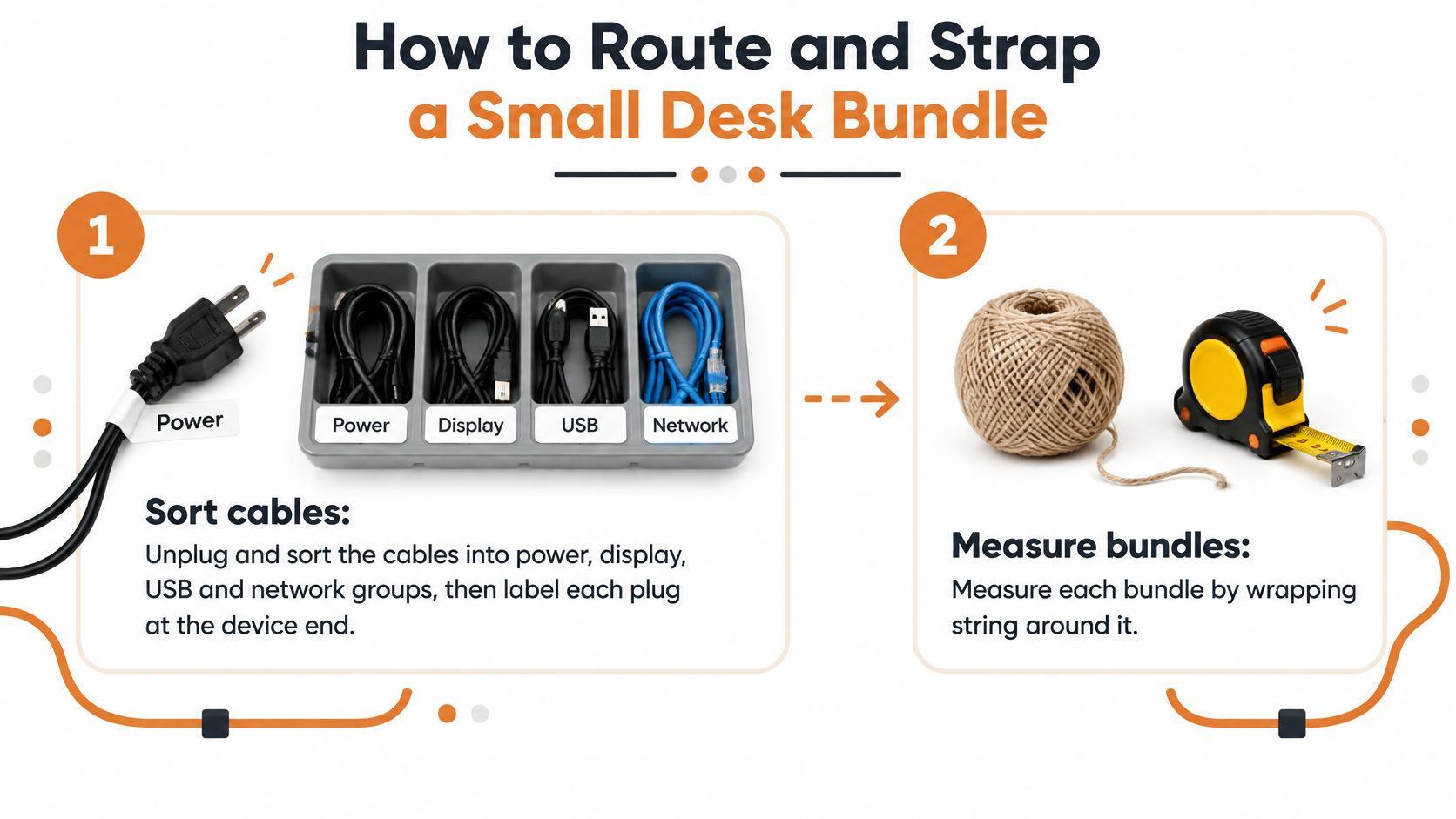
Use these steps in order. Each one prevents a specific failure later.
- Unplug and sort: Separate cables into power, display, USB and network groups. Label each plug at the device end, so you don’t trace the same lead twice.
- Measure each bundle: Wrap string around the grouped cables and measure the circumference. Divide by π to approximate diameter.
- Choose with margin: Pick a strap whose stated maximum bundle diameter exceeds your measurement. Leave enough tail for full hook engagement after routing, not just a fingertip of overlap.
- Place the first strap: Put it just below where the bundle leaves the device or port. Don’t cinch it against the connector, or every desk nudge levers the plug.
- Support bends and spans: Add straps at every bend and before any unsupported span. Under a small desk, use roughly 20-40 cm spacing where cables move with a laptop, keyboard or sit-stand mechanism.
- Close it loosely: Stop when the bundle holds position. A finger should still slide underneath. Over-tightening is the most common failure. It deforms jackets, restricts movement, and makes additions difficult.
- Check danger points: Confirm no bundle crosses a hot power brick, ventilation opening, chair-caster path or desk hinge. Reroute first. Don’t strap harder to compensate.
- Test movement: Raise and lower the desk, roll the chair, and pull gently on each device. No plug should strain, tilt or lift its neighbour.
Why Desk Spacing Is Tighter Than Building Spacing
Alberta Health Services structured-cabling requirements specify securing ducting every 1.3 m with Velcro and adding straps at bends and offsets to preserve minimum bend radius. That context is fixed infrastructure. Your desk cables move daily, so the 20-40 cm adaptation makes sense. The principle transfers, the distance doesn’t.
Canadian CSA C22.2 No. 18.5 treats cable-positioning devices as products to bundle, route, locate or secure wiring, distinct from mechanical protection or electrical insulation. In practice, a strap won’t save a cable dragged over a sharp edge. Add edge protection or change the path. For the wider routing picture, an under-desk cable management guide helps decide where straps end and trays or raceways begin.
Watch the hand placement and bundle tension before you copy a routing pattern.
<iframe width=“100%” style=“aspect-ratio: 16 / 9;” src=“https://www.youtube.com/embed/Etf8CE8d6cA” frameborder=“0” allow=“autoplay; encrypted-media” allowfullscreen></iframe>
If a bundle needs force to stay put, it’s too big, too tight, or routed badly. Fix the route.
Choosing Strap Length, Width and Rating
Published ratings are selection limits, not operating targets. Don’t load a strap near its tensile rating and call that secure. Pick width and length from bundle geometry first, then keep a generous margin.
| Strap example | Length | Max bundle diameter | Tensile rating | Temperature range | Best desk use |
|---|---|---|---|---|---|
| Nylon hook-and-loop tie | 8 in | Check listing for your bundle | 15 lb | -2°F to 220°F | Light bundles on a dry desk |
| Flame-retardant hook-and-loop tie | 8 in | Check listing for your bundle | 29 lb | -20°F to 200°F | Bundles near a power bar or brick |
| Hook-and-loop tie | 2 ft | 7 in | 29 lb | -20°F to 200°F | Longer runs under the desk |
| Network loop (power-and-telecom spec) | As specified | 1.91 in | 40 lb minimum loop | -0.4°F to 219°F | Network bundles that must meet the spec |
Canadian Grainger hook-and-loop tie listings show that spread clearly, from an 8-inch nylon tie at 15 lb to a 2-foot model rated for a maximum 7-inch bundle diameter at 29 lb. Read each row against your string measurement. Your bundle diameter must sit below the stated maximum, with tail left for full engagement. If you have to stretch or overlap only the tips, the strap is too short.
Length, Heat and What the Rating Does Not Cover
Length follows three things. First, the bundle circumference. Second, the tail needed to open it one-handed next month. Third, whether it’ll wrap only cables or also loop around a desk leg or tray edge. Wider straps spread pressure on larger bundles, but they can feel clumsy on a single USB lead. Narrow ties suit branch cables near plugs.
The flame-retardant version at 29 lb makes sense near a power bar or brick, compared with the standard nylon example. That still doesn’t make it safe to strap the brick itself. Temperature ratings apply to the strap, not automatically to cable insulation or connected electronics. Keep straps off bricks, vents and sharply bent cable exits.
Buying rule: Stock a few lengths. Most small desks need short ties at device ends and longer straps for under-desk runs.
Price shapes that choice. In 2026, Best Buy Canada cable management listings showed C2G hook-and-loop wraps at C$7.68 for a 12-pack of 6-inch wraps, roughly C$0.64 each. In 2026, Global Industrial Canada cable ties and wraps listed a 75-foot, 3/8-inch VELCRO Brand One-Wrap strap at C$39.95, which suits cutting to length. Pre-cut packs are faster for a single desk. A roll wins if you’ll reroute often and want consistent colour and width.
Bundling Patterns for Tight Under-Desk Spaces
Patterns beat random strapping because they give you a path to follow when something changes. The sketch below shows the basic idea, one controlled route instead of cables hanging wherever gravity puts them.
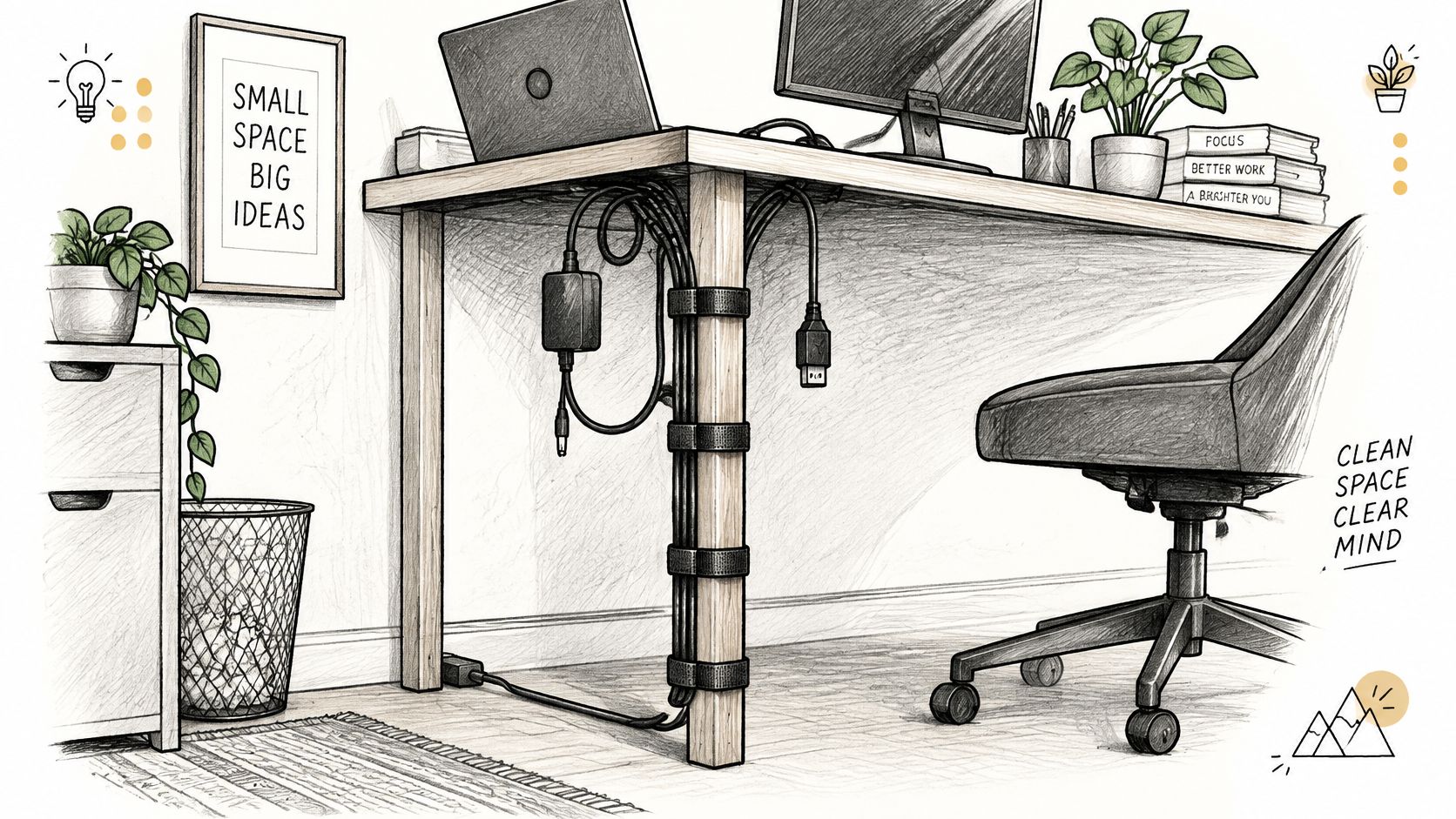
The spine on a 120 cm desk. One bundle runs down the back leg, then splits into device branches near the monitor. You follow one main path when a cable changes, and branches stay short. The rule is one zone per bundle. Don’t let the spine swallow a phone charger that leaves every night.
The sit-stand column. The desk rises, and a taut display cable lifts the laptop or tilts the dock. Give each cable a service loop of 10-15 cm before any moving part. Test at full height, not at sitting height. If the loop disappears when the desk rises, it’s too short.
Walls, Corners and Shared Desks
A wall-side run in a small apartment keeps straps hugging the wall edge, with a free tail near the chair side. You can slide the desk out for cleaning without unplugging everything. Keep that tail visible. A buried tail slows every reconfiguration.
On a corner desk, bundles sag into the corner and rub. Put a strap at the turn, then a second strap shortly after it. The first controls direction, the second controls weight. This is the same logic behind several fixes for the cable mess under your desk, especially where knees and storage boxes compete for space.
A shared desk needs the opposite of permanence. A roommate should be able to release a bundle quickly to reach the power bar, without tools and without guessing which strap matters. Use labelled tails and keep the power bar accessible, not strapped behind a leg.
Never route bundles under chair casters or against a desk hinge. Wheels crush, hinges pinch, and a strap just holds the cable in the danger spot more reliably. Keep bundles off heat sources too, even if that path looks shorter.
Reusing, Fixing and Upgrading Straps
Most strap guides assume you install once and never touch the desk again. That assumption fails for hybrid work. Canadian workplace reporting on home-based work puts 25.4% of employees working from home, while 55.1% still spend time in an office. A 2025 Western Compensation & Benefits Council survey reported 91% of organizations offer hybrid arrangements and 71% offer formal remote work. Desks get shared, converted to dining space, or packed up. Teardown speed matters.
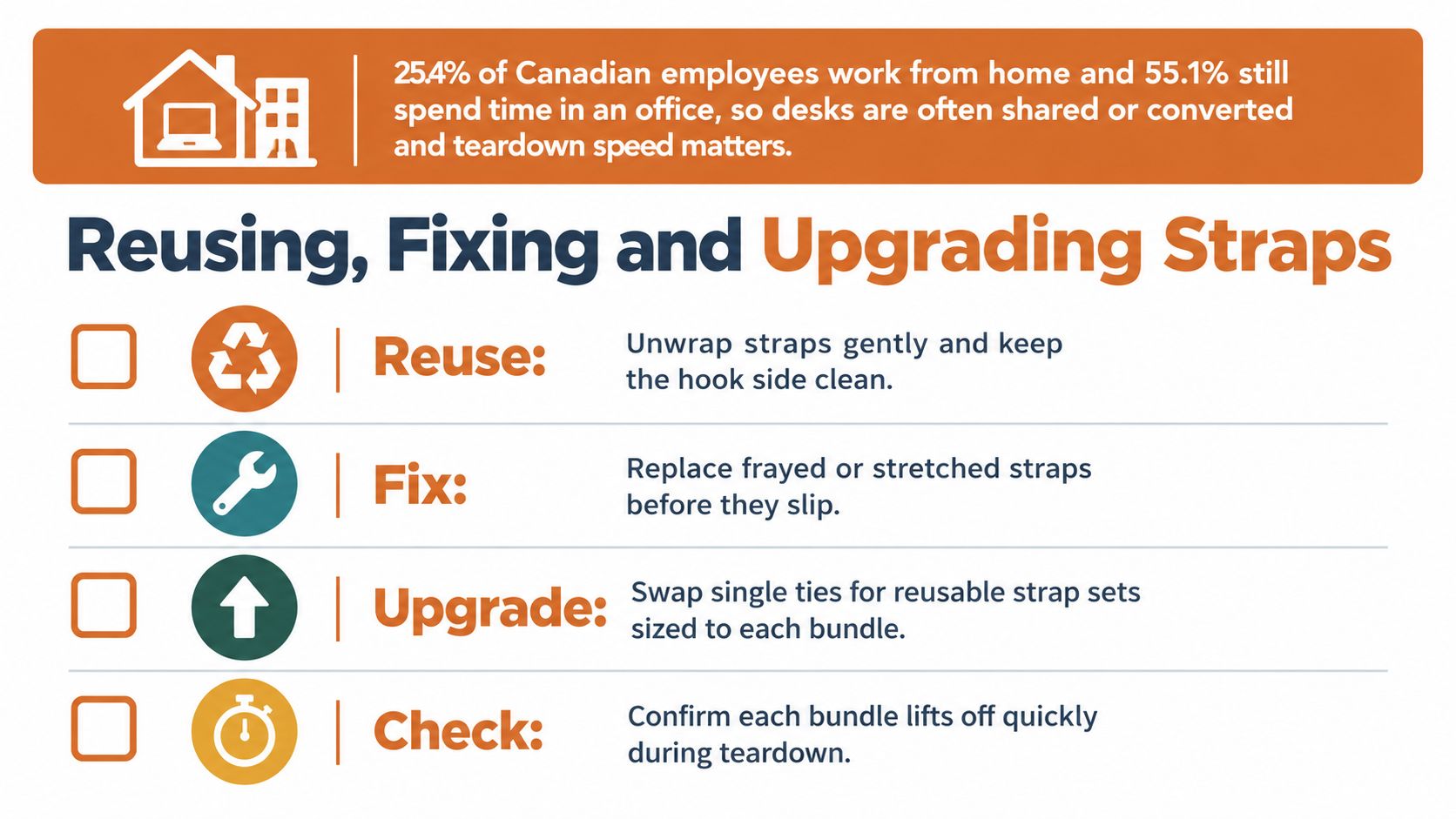
Unwrap straps gently and keep the hook side clean. Replace frayed or stretched straps before they slip. Then time a real teardown, because a bundle that looks tidy but traps every device is a failed system.
Diagnose the Failure Before Replacing Everything
| Symptom | Likely cause | Fix |
|---|---|---|
| Cable jacket is dented or creased | Strap over-tightened | Loosen to a finger-width gap and reroute |
| Bundle slides off the desk edge | No strap before the bend | Add a strap just before the bend |
| Strap loses grip after a week | Lint in loops or a short tail | Clean the loops and re-engage with a fresh tail |
| Strap stiffens or softens | Placed near a heat source | Move it away and choose a higher-temperature rating |
| Device will not release without a fight | Too many devices in one bundle | Split the bundle by device and add a quick-release loop |
The dented jacket is the warning to take seriously. People tighten the strap when a bundle sags, but sag usually means poor spacing or too much weight in one run. Add support before the bend, split the bundle, or shorten the unsupported span. More compression rarely fixes geometry.
Grip loss is often housekeeping, not a defective strap. Lint, dust and hair fill the loops, especially on floor-level bundles. Clean the loops with a lint roller, press the strap closed along its full overlap, and use a fresh section of tail if the end is worn. If the loops no longer hold after cleaning, replace the strap. Don’t stretch a tired strap tighter and hope.
Label for the Next Person, Who May Be You
Colour-code by role. Use one colour each for power, display and USB peripherals, then write the device name on the tail where your fingers naturally grab it. Label both ends of network cable, because the middle tells you nothing when it’s behind a leg. Reserve a quick-release loop near each plug for gear that travels between home and office.
Avoid adhesive mounts on rental surfaces when a strap around a leg, tray edge or existing grommet will do. Renters, students and freelancers need the desk to return to normal without paint damage. Reversibility is the feature, so don’t glue it away.
Can you remove one device without dismantling the entire bundle? If not, the setup is organised for a photo, not for your week.
Know When Straps Are No Longer Enough
Straps suit desks with a few cable groups, devices that change every few months, and runs you can reach by hand. They’re cheap, forgiving and easy to revise. That flexibility has a limit.
Move to a tray or raceway when cables pull at ports, bundles sag between straps, or one small change means unbundling half the desk. A tray carries weight and hides power bricks in a ventilated, accessible place. Straps then handle the branches, which is what they’re best at. Don’t ask a fabric strap to act as structure.
Run this test tonight. Remove one device’s cables and time it. If it takes over two minutes, split the bundle by device, label the tails, or add a raceway for the main run. Fast, damage-free removal is the standard. If your current bundle can’t meet it, the bundle is wrong, however neat it looks.
Ready to make your small desk easier to reconfigure, not just easier to photograph? Deskbound publishes practical setup guides, compact gear reviews and cable management walkthroughs for small home offices, including trays, raceways and Velcro routing for tight footprints. Start with the desk problem you’ve got, measure before you buy, and build a setup you can pull apart in minutes when your work changes.