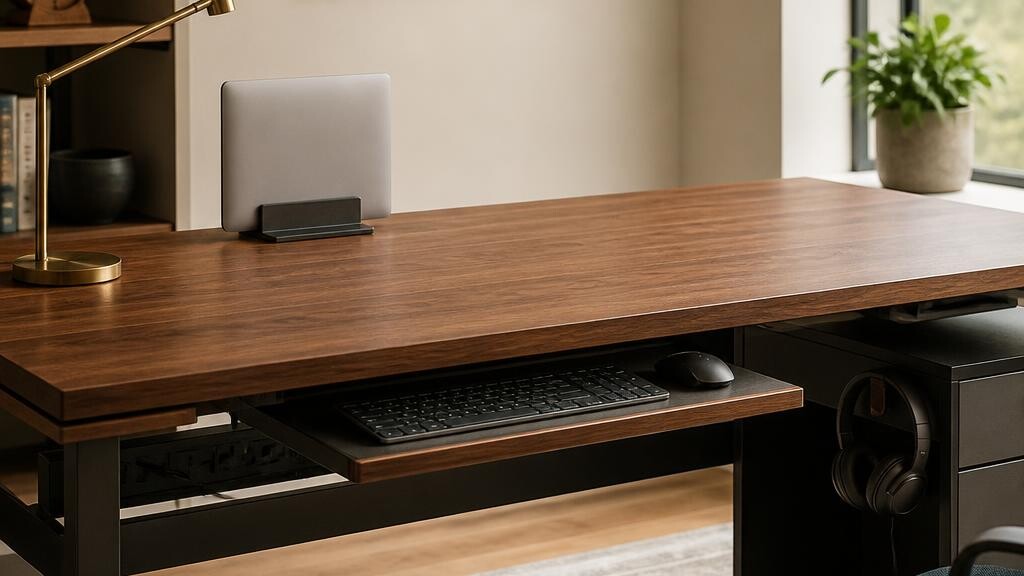
Every pick this week deals with the two places a home office quietly falls apart: the space under the desk and the cable run behind it. We have leaned on standing desk gear, audio and networking for three straight posts, so none of that appears here. These all sit in the usual home office price range and prices move, so check the current one on Amazon before you buy.
1. HUANUO Under Desk Keyboard Tray, 25 x 9.8 Inch Slide-Out Drawer
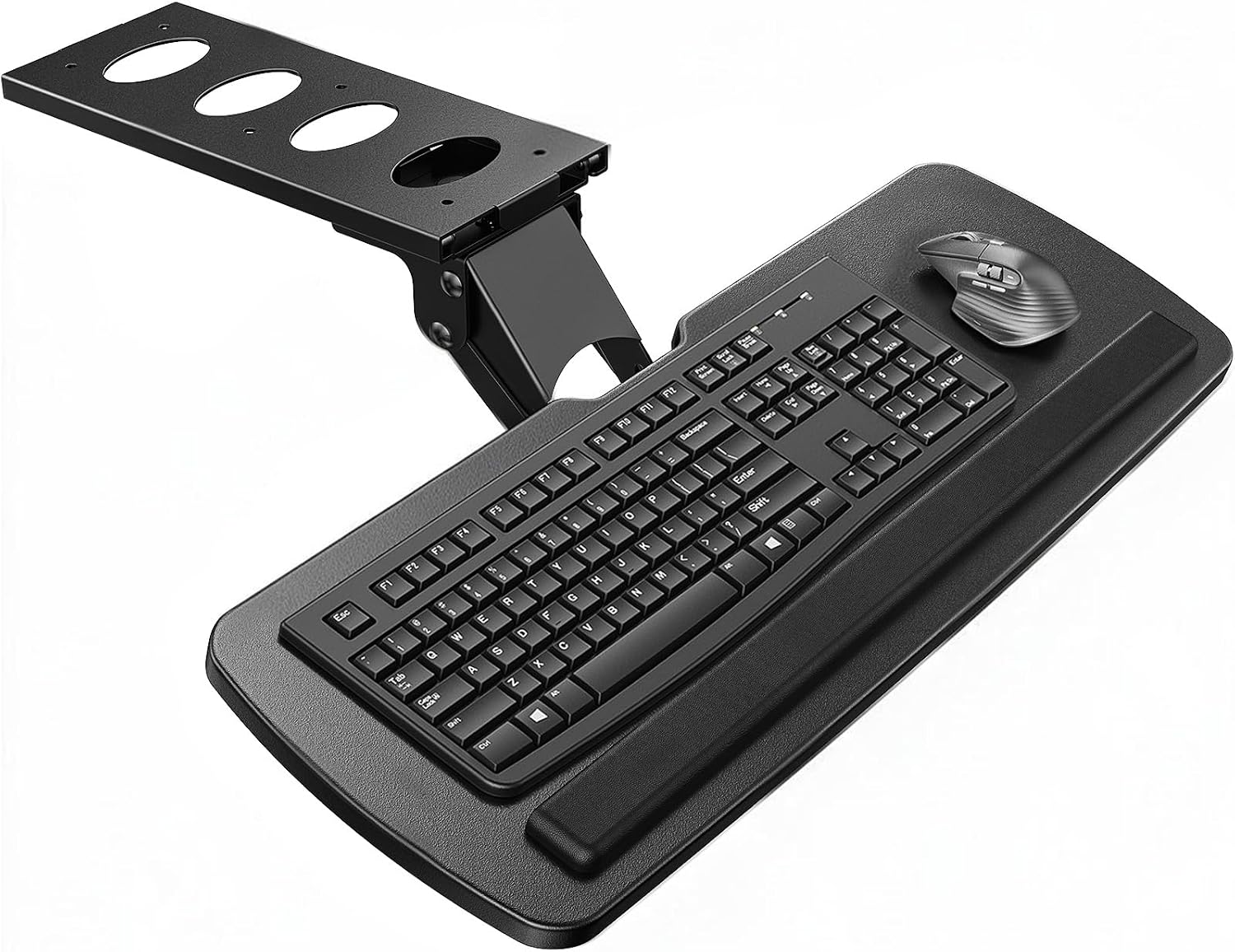
A keyboard and mouse take up the front half of a small desk, which is the half you need for paper, a laptop, or a coffee cup. This mounts a 25 by 9.84 inch platform under the desktop so both move below the work surface and slide out of the way when you are done.
The numbers that decide whether it fits are clearance numbers, not price. The platform swivels 180 degrees to each side, tilts 6 degrees up and 22 degrees down, and adjusts through 6.3 inches of height, sitting 7.48 inches below the desk at its lowest setting. Before ordering, measure three things: the desktop needs to be thicker than 0.6 inches, you need at least 14.17 inches between the front edge and any crossbar, 16.22 inches if you want the tray to disappear fully under the desk, and 25 inches of clear width, 35.4 inches if you want to swivel it. A desk with a low apron or a mid-span support bar will fail one of those three.
What you gain: The front half of your desk comes back, and your hands drop to a height your shoulders prefer.
HUANUO Under Desk Keyboard Tray on Amazon
2. Mount-It! Under Desk Drawer Organizer
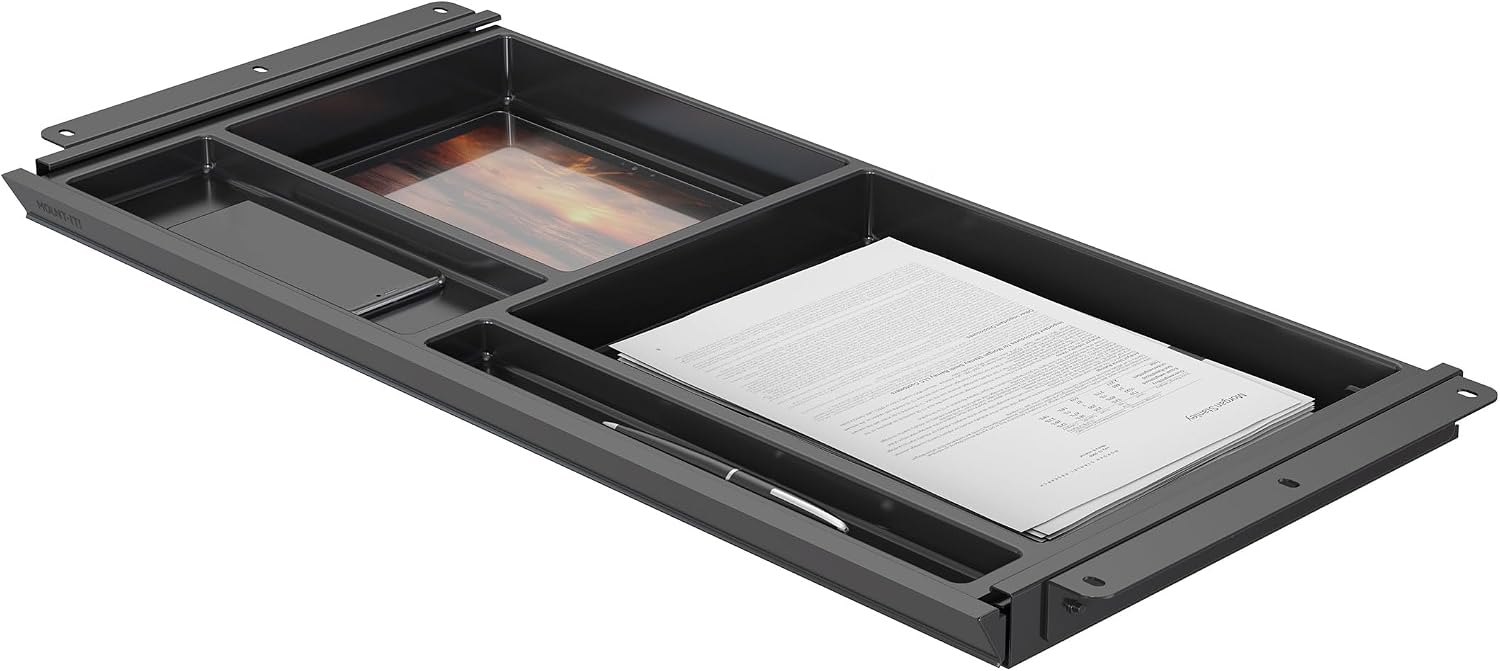
Most desks sold in the last ten years have no drawers, so pens, cables, and sticky notes live on the desktop because they have nowhere else to go. This low-profile, two-compartment drawer screws to the underside of the desktop and pulls out when you need it.
It measures 20.7 by 8.9 by 1.8 inches, and that shallow height is the point: it is designed to clear your knees while still swallowing the small things that currently live beside your keyboard. Mounting hardware is included. Two constraints to check first: Mount-It! recommends it for traditional desks and compatible standing desks, so a thin or hollow top may not hold screws well, and if you also want the keyboard tray above, only one of them gets the prime spot under the front edge.
What you gain: A home for the small stuff that is currently colonising your desktop.
Mount-It! Under Desk Drawer Organizer on Amazon
3. VIVO Heavy Duty Adjustable Under-Desk PC Mount (MOUNT-PC04A)
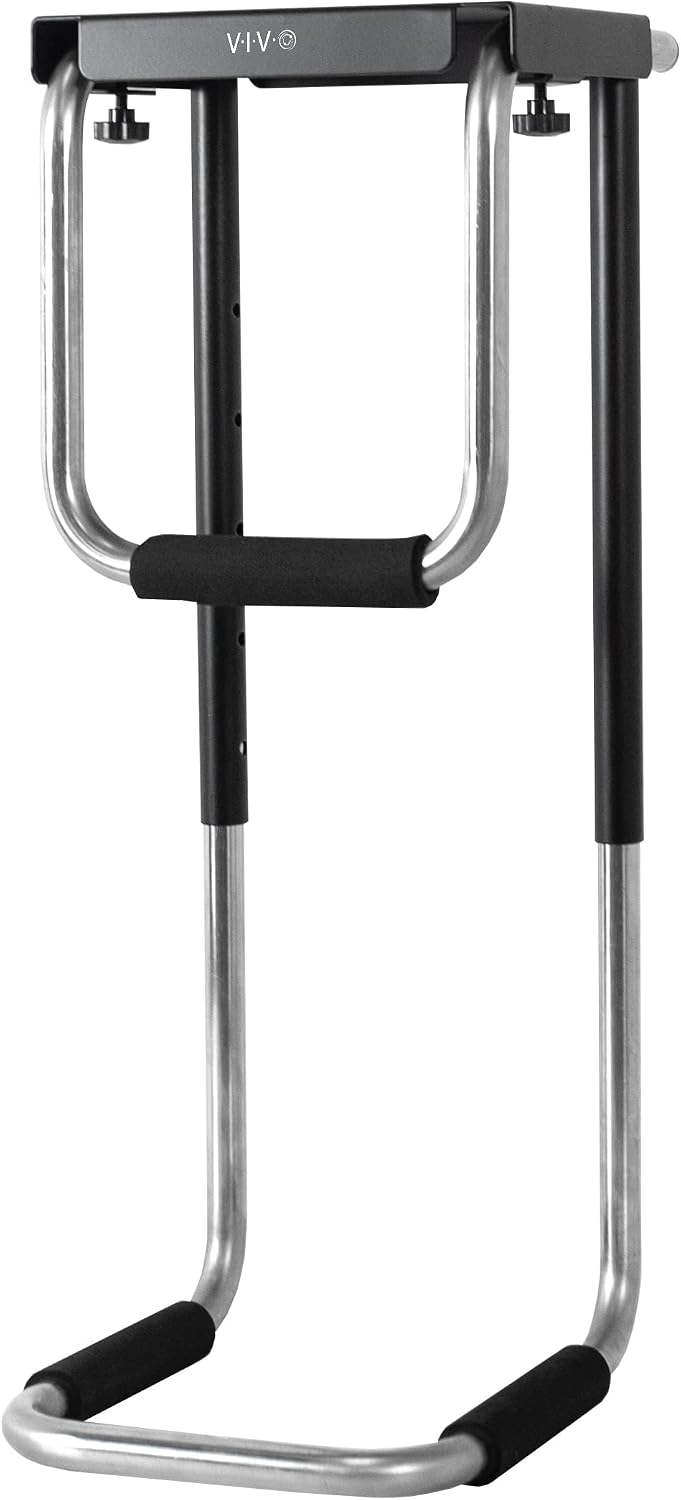
A desktop tower on the floor collects dust, takes a knock from a chair wheel, and anchors every cable at ankle height. This steel cradle holds it under the desk instead, with an open frame so the intake fans still get air.
It takes up to 66 lbs, adjusts from 5 to 10 inches to match the width of your case, and offers five height settings at 14, 16, 18, 20, and 22 inches. The desktop needs to be at least 3/4 inch thick. Two caveats: measure your case width, because anything wider than 10 inches is out, and remember that a tower hanging at 14 inches of height is 14 inches of legroom you no longer have, so a small desk with a drawer or a tray already fitted may not leave room for it.
What you gain: The floor under your desk becomes empty space you can vacuum, and the cable bundle starts at desk height instead of the baseboard.
VIVO Heavy Duty Adjustable Under-Desk PC Mount on Amazon
4. Satechi Dual Vertical Aluminum Laptop Stand
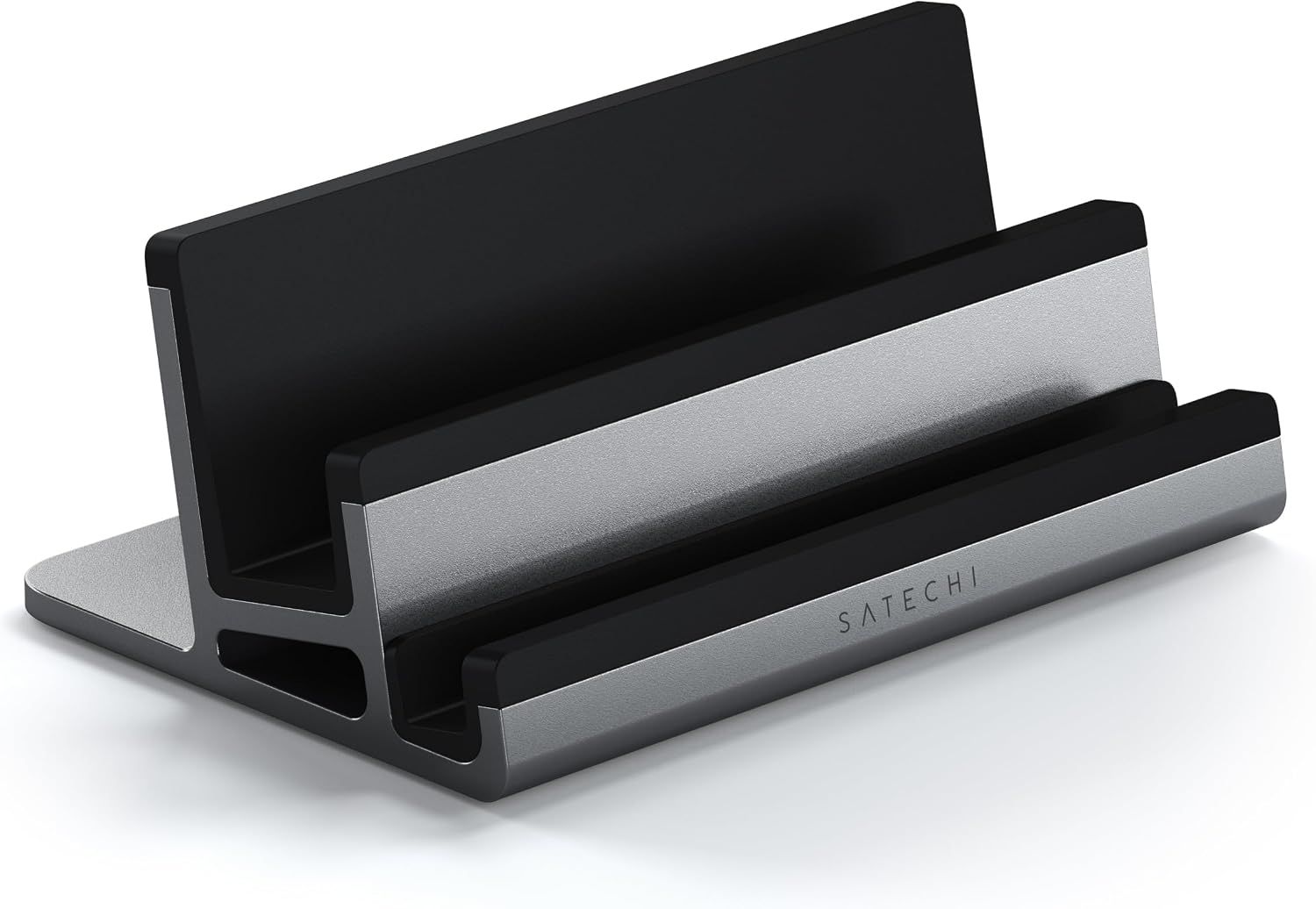
If you dock a laptop and work on an external monitor, the open laptop sits in the middle of the desk doing nothing but holding its own keyboard. Closed and stood on its edge, it takes the footprint of a hardback book.
This is the aluminum alloy two-slot version, model ST-ADVSM, and each slot adjusts from roughly 0.4 to 1.2 inches, or 10 to 30mm, so it fits a thin laptop in one slot and a tablet in the other. Silicone grip pads and a weighted base with non-slip feet keep it from sliding. The caveat is thermal, not structural: a laptop running hard while closed and standing vertical has less surface area shedding heat than the same machine open and flat, so if you push yours with long builds or video exports, keep an eye on fan noise before you commit to this layout.
What you gain: Roughly a laptop’s worth of desk surface, reclaimed without unplugging anything.
Satechi Dual Vertical Aluminum Laptop Stand on Amazon
5. Delamu 62.8in Under Desk J-Channel Cable Management Kit
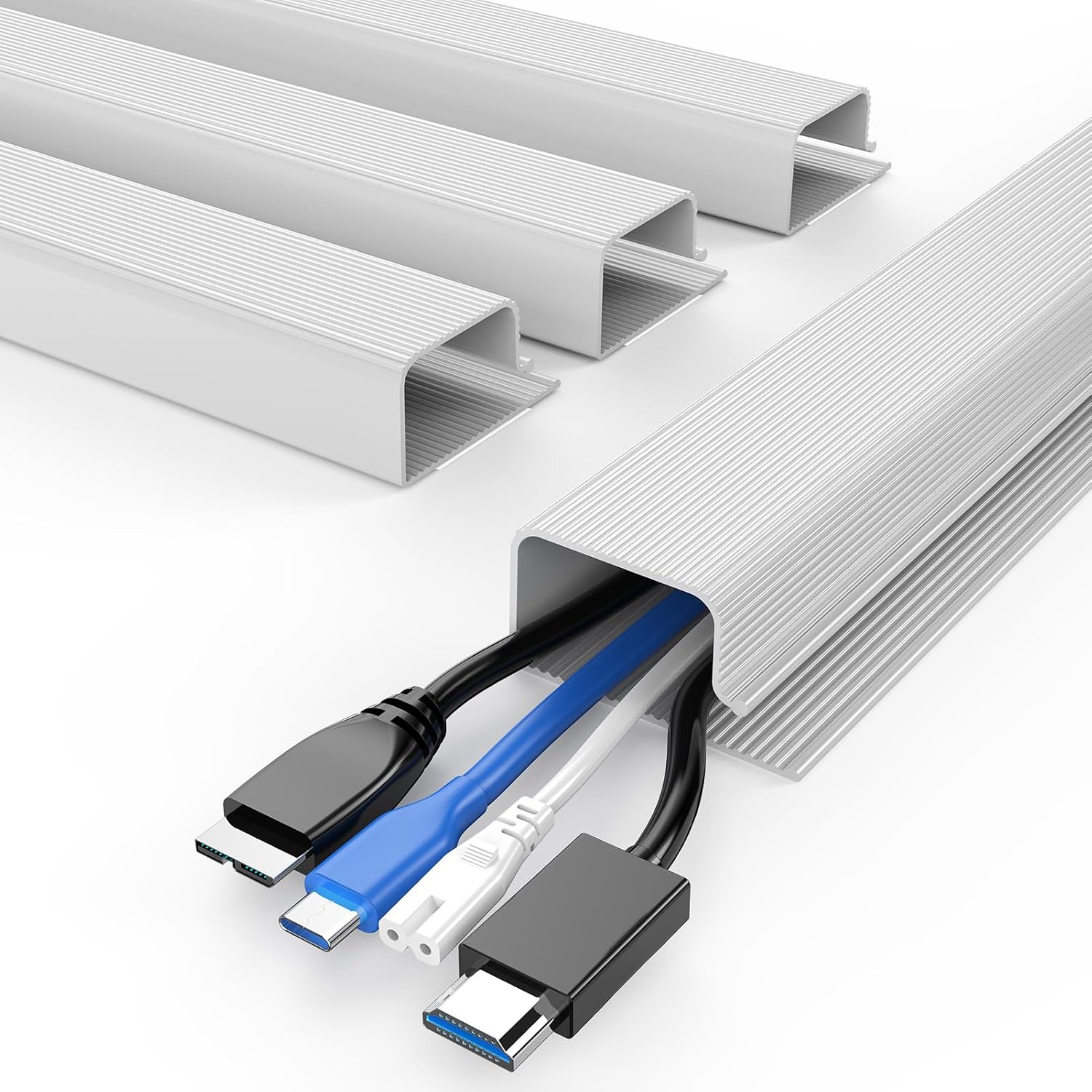
Once the tray, drawer, and mount are in place you have a bundle of cables hanging loose beneath the desktop. J-channel is the open-sided version of a raceway: the cables drop in from below and stay put, and you can pull one out later without dismantling anything.
The kit is four PVC channels of 15.7 inches, 62.8 inches in total, each 1 inch wide and 2.5 inches deep, and it mounts with adhesive rather than screws. The adhesive is the thing to think about. It holds fine on a smooth laminate or sealed wood underside, and it struggles on raw particleboard, dusty surfaces, and anything textured, so clean the mounting line first and expect to add a screw or two on a rough desk.
What you gain: The cable bundle under your desk becomes one tidy run instead of a hanging loop that catches your knees.
Delamu Under Desk J-Channel Cable Management Kit on Amazon
6. Belkin 12-Outlet Surge Protector with 8ft Flat Plug
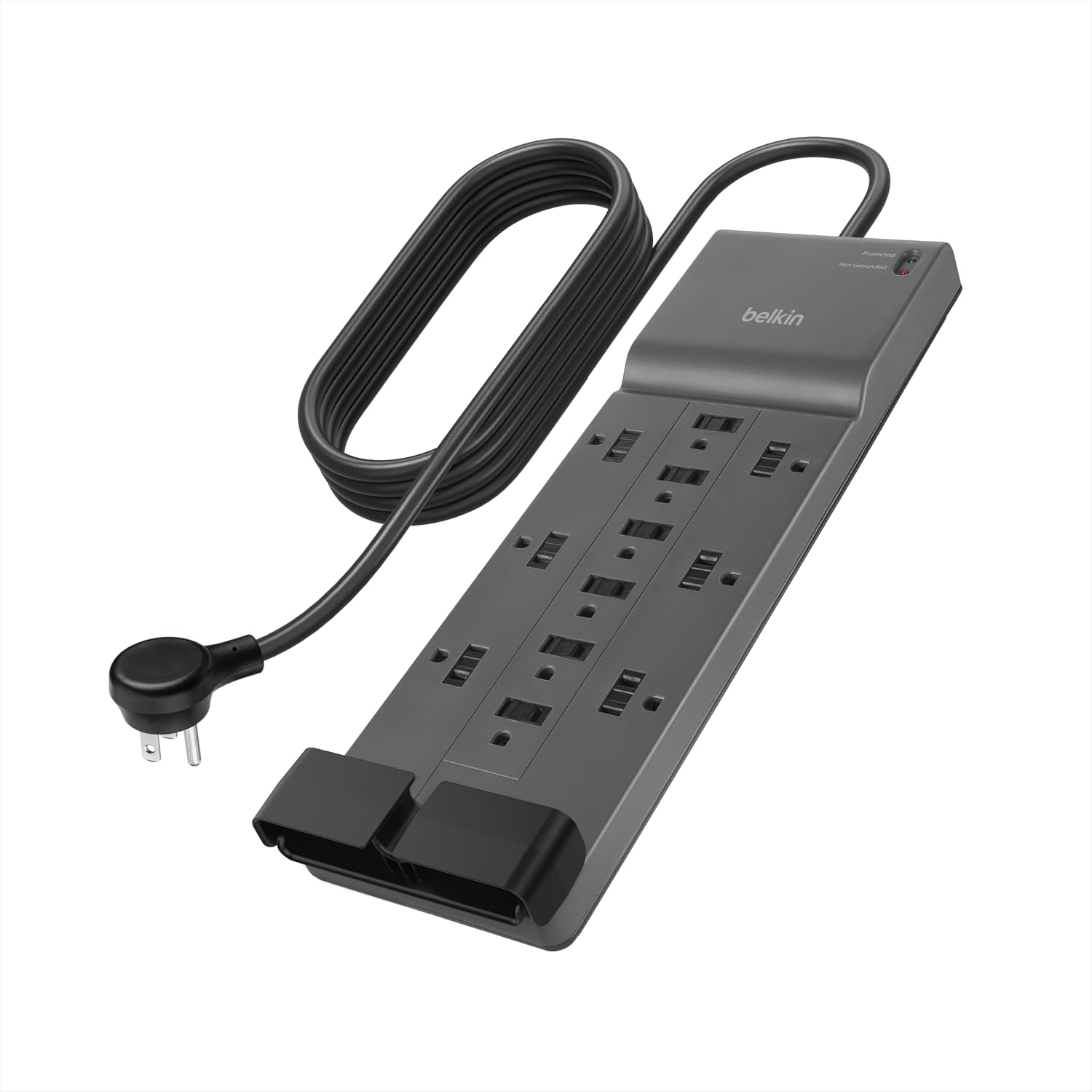
A tidy desk with four wall warts fighting over a two-outlet receptacle is not tidy, it is just hidden. The reason this one makes the list is the flat plug: a right-angle plug lets the desk sit flush against the wall, which a standard moulded plug will not allow.
Twelve outlets is enough for a monitor, a dock, a laptop charger, a lamp, a printer, and a phone from one wall socket, and the 8-foot cord reaches a wall outlet from the middle of a room. The listing rates it at 3,940 joules and lists it as UL-listed. Note that we are working from the listing here rather than a Belkin spec sheet, since we could not match this exact listing to a model page on belkin.com. Treat the joule number as a budget rather than a guarantee: every surge a protector absorbs uses some of it up, the unit keeps passing power after the protection is spent, and this is a surge protector, not a UPS, so it does nothing for a blackout mid-save.
What you gain: One cord to the wall, a desk that sits flat against it, and an end to the daisy chain of adapters.
Belkin 12-Outlet Surge Protector on Amazon
A year from now the keyboard tray and the PC mount are the two you will still notice, because both permanently change how much usable desk and floor you have rather than just tidying what is already there. The drawer and the J-channel matter in a quieter way: they are what stops the setup drifting back to a tangle the next time you change something.